Your greeting, every call
Every call is answered on the first ring with your venue’s greeting, with a different one for each day if you like.
OrderArt’s cloud IVR answers every call with your own greeting. Callers press 1, 2 or 3, get the right booking, ordering or catering link by SMS in seconds, and are put through to your team. Busy night? Missed transfers can be pulled back to Conversational AI, so no booking or order is lost.
NewMissed-call rescue: unanswered transfers handed to Conversational AIA cloud phone system built for restaurants. No hardware, no hold music loops, and no caller left without a way to book or order.
Every call is answered on the first ring with your venue’s greeting, with a different one for each day if you like.
Callers choose bookings, ordering, catering or any option you set up, with multi-level menus when you need them.
The moment a caller chooses, they get a text with your booking page, online menu or catering form. Most never need to wait for a person.
Bookings and orders go to the restaurant landline, catering goes to your catering team’s mobile.
If nobody picks up the transfer, the call is pulled back and handed to Conversational AI to finish the booking or order.
Different flows for lunch, dinner and after hours, so a closed kitchen still sends callers your ordering link.
Here’s a typical setup. Every option, greeting, text and transfer number is yours to change.
“Thank you for calling Bella Cucina. Press 1 to book a table, 2 to order online, or 3 for catering.”
123“Thanks for choosing to book a table. Our team will be happy to help with your reservation.”
“Please wait while we connect you to our team.”
“Thanks for choosing to order online. We’ve sent you a link to our menu by SMS.”
For callers who still want to talk to someone.
“Thanks for your interest in our catering. Our team will be happy to help.”
Straight to the person who quotes events.
The IVR pulls the call back before it rings out and hands it to Conversational AI, which takes the order, books the table or captures the catering enquiry.
Your IVR handles every call on its own and doesn’t need AI. On a slammed Friday, though, the front desk can’t always pick up. Add missed-call rescue and any transfer your team doesn’t answer is pulled back and handed to OrderArt Conversational AI, so every table is booked and every order is taken.
From the OrderArt Admin app or dashboard, adjust what callers hear and receive, without calling a phone company.
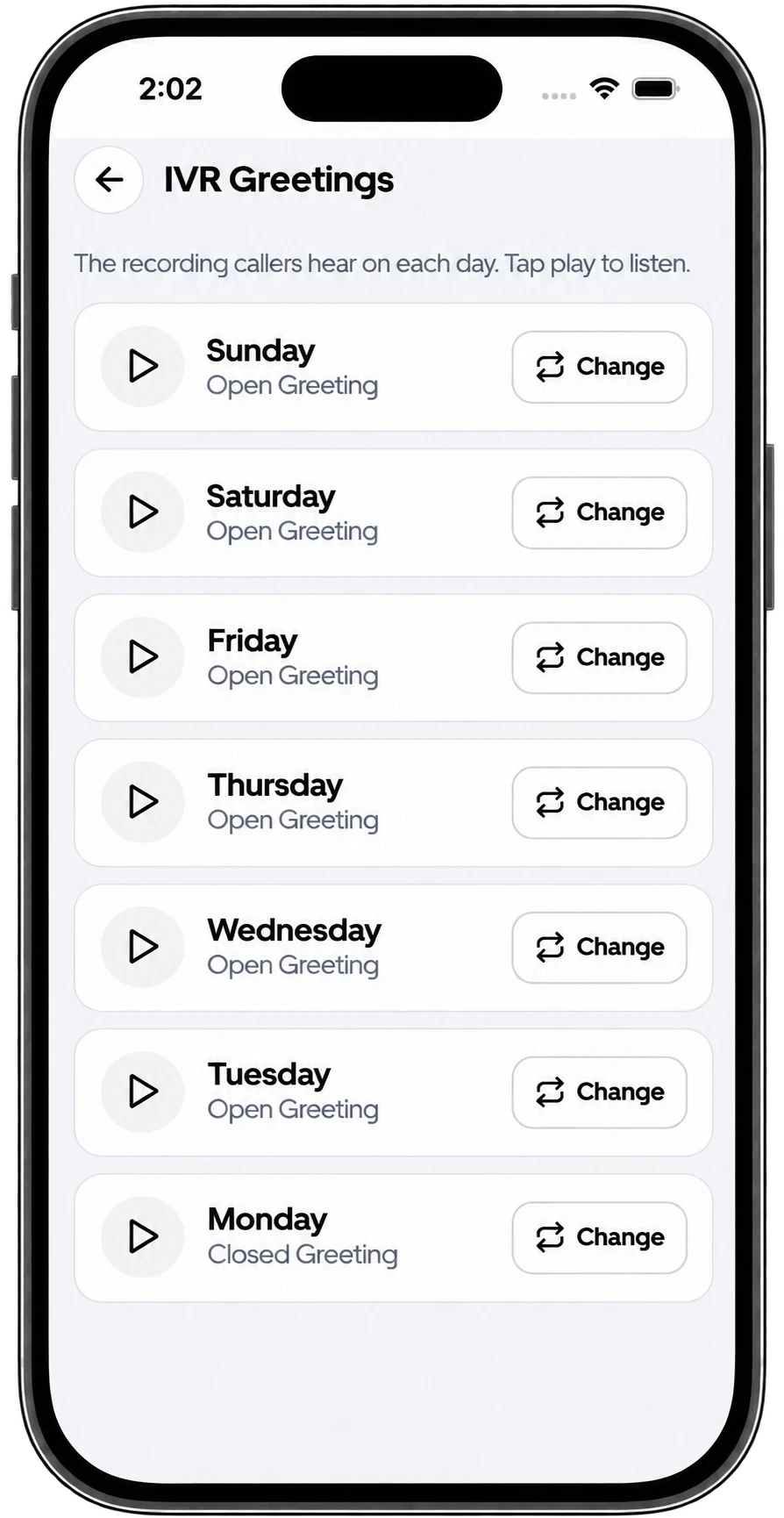
Announce specials, festive hours or renovations with a greeting for each day of the week.
Write the text and links each option sends, and change them whenever your menu or booking page changes.
Closed? Callers hear your hours and still get a link to order ahead or book.
Choose who each option rings and how long it rings before missed-call rescue steps in.
Set a greeting per weekday.
Text and link per option.
Sent when a caller presses 2.
Closed greeting plus a link.
Who each option rings.
Use your existing number, or add landline, mobile and toll-free numbers.
Ten people calling at once? Every one hears your greeting and gets a link.
Add options for functions, gift vouchers or a second location as you grow.
Incoming calls appear on the POS so staff can greet regulars by name.
Rescue missed transfers, or let AI handle calls end to end: complex orders with paid-by-link checkout, bookings straight into your POS and answers to any question, on phone, WhatsApp and website chat.
Plans from AUD $299/month + GST
No. Business Automation is a cloud IVR: callers hear your greeting, press a number, get the right link by SMS and are transferred to your team. AI only joins if you add missed-call rescue, and then only for transfers your team doesn’t answer.
Yes. OrderArt integrates with your existing phone setup, and landline, mobile and toll-free number options are available.
The text that matches their choice, for example your booking page, online ordering menu or catering enquiry form. You write the message and links, and can change them anytime.
The caller already has your link by SMS, so they can still book or order. With missed-call rescue, the call is also pulled back and handed to Conversational AI, which takes the order or booking on the spot.
Yes. Greetings for each day, SMS texts, after-hours mode and transfer numbers can be changed from the Admin app or dashboard. We set up the first flow with you.
We’ll set up your greeting, keypad options, SMS links and transfer numbers for your venue, and show you the call flow working before you go live.