$0 commission on every order through your own website. Estimate what you'd keep →
Restaurant & café point of sale

The POS that runsyour whole venue.

A cloud-based hospitality POS for restaurants, cafés and takeaways. Dine-in, takeaway, delivery, Uber Eats and phone orders on a countertop dual-screen or the OrderArt Handheld POS. Tap & Pay on both, digital rewards, pagers and caller recognition built in, and it keeps trading when the internet drops.

Countertop & handheld Tap & Pay on both Works offline
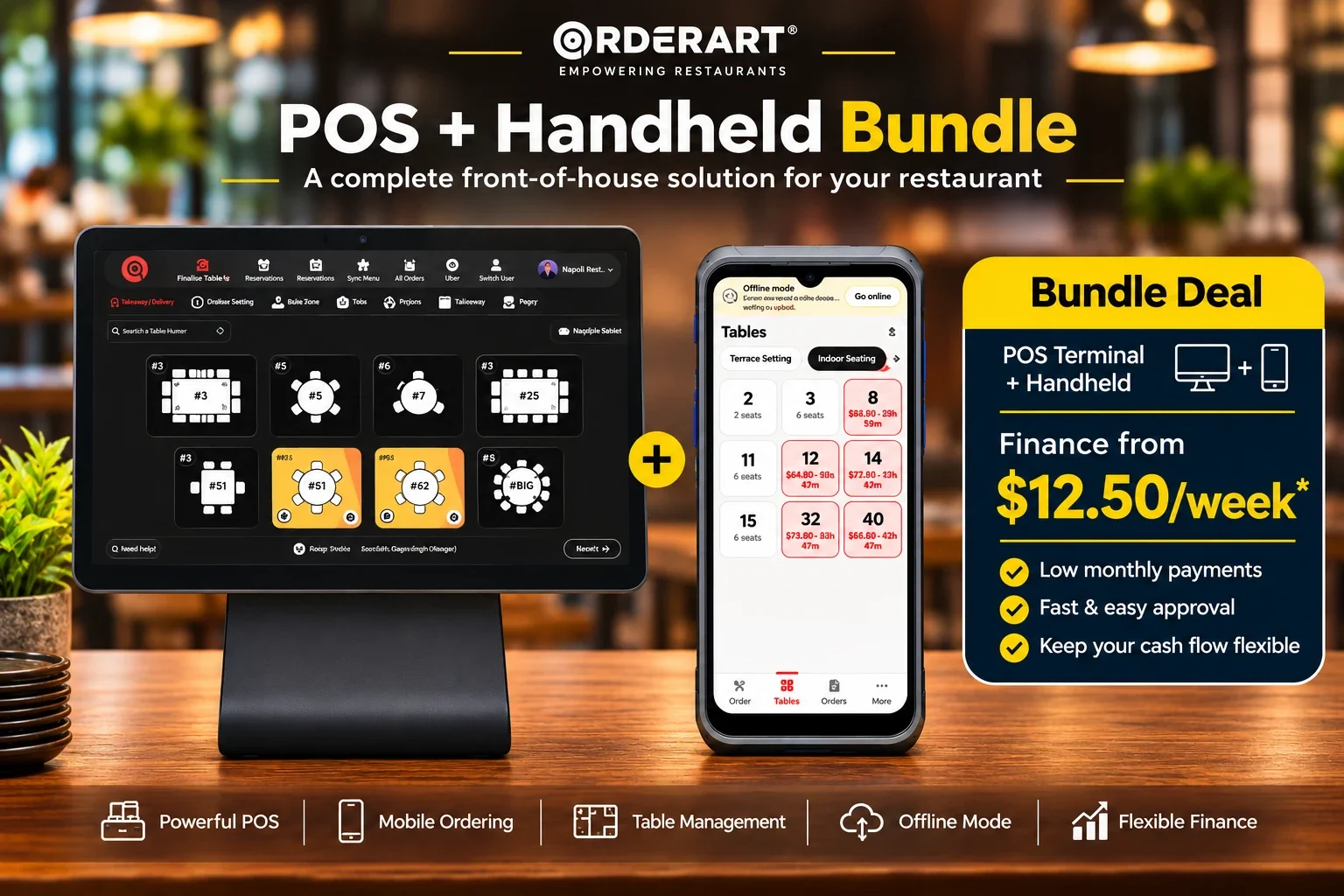
Hardware finance from $11.80/week
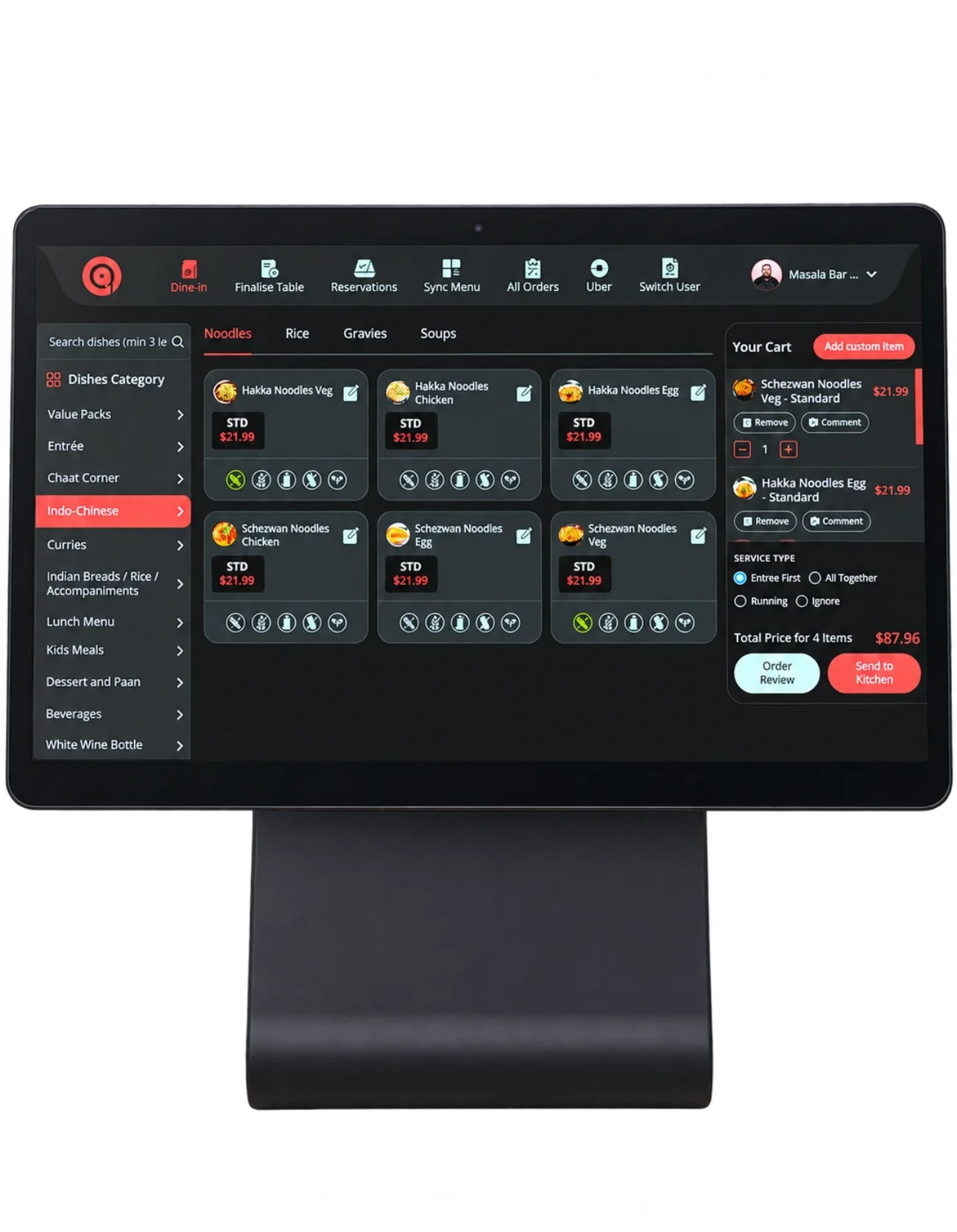
OrderArt POS on a countertop terminal showing menu categories, dishes and the cart
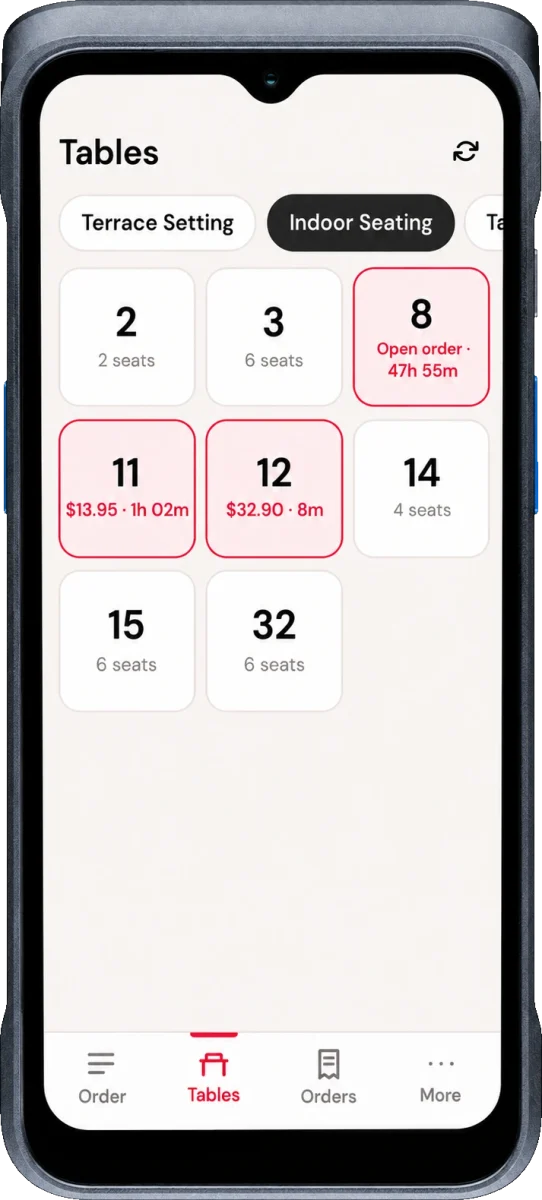
OrderArt POS on a handheld device showing tables and open orders
Dine-inTakeawayDeliveryWebsite ordersUber EatsAI phone ordersCaller recognitionPagersBookingsPay by linkTap & PayDigital rewards
Tables & floor plan

Seat the table. Start the order.

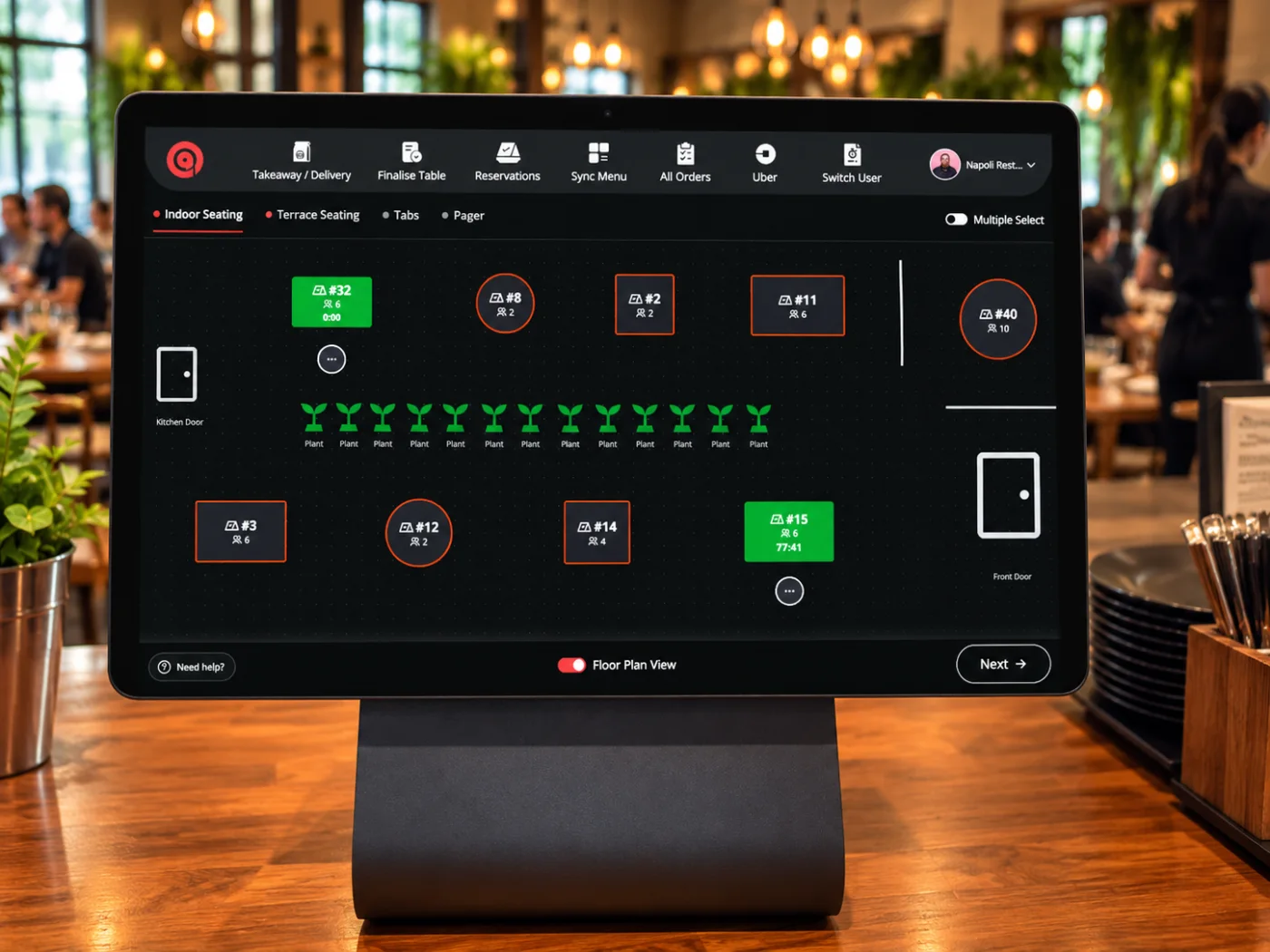
Start a new order straight from the floor plan on the countertop, or from the OrderArt Handheld POS on the floor. Tap a table, enter the guest count and you’re ordering.
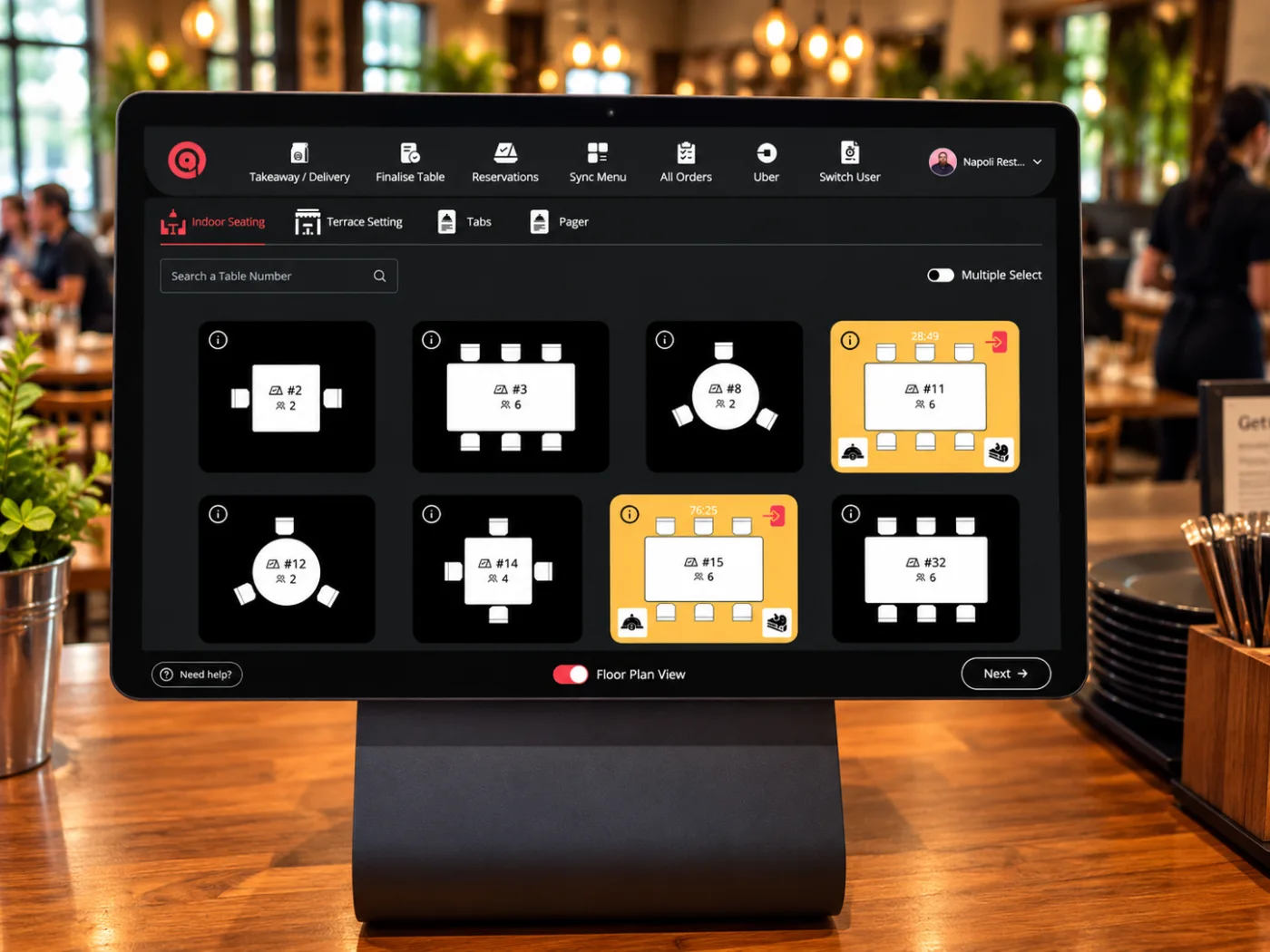
  1. Tap a table
  2. Enter the guest count
  3. You’re ordering
Countertop POS in a café showing the floor plan, with tables laid out as in the room and occupied tables timed
Countertop dual-screen
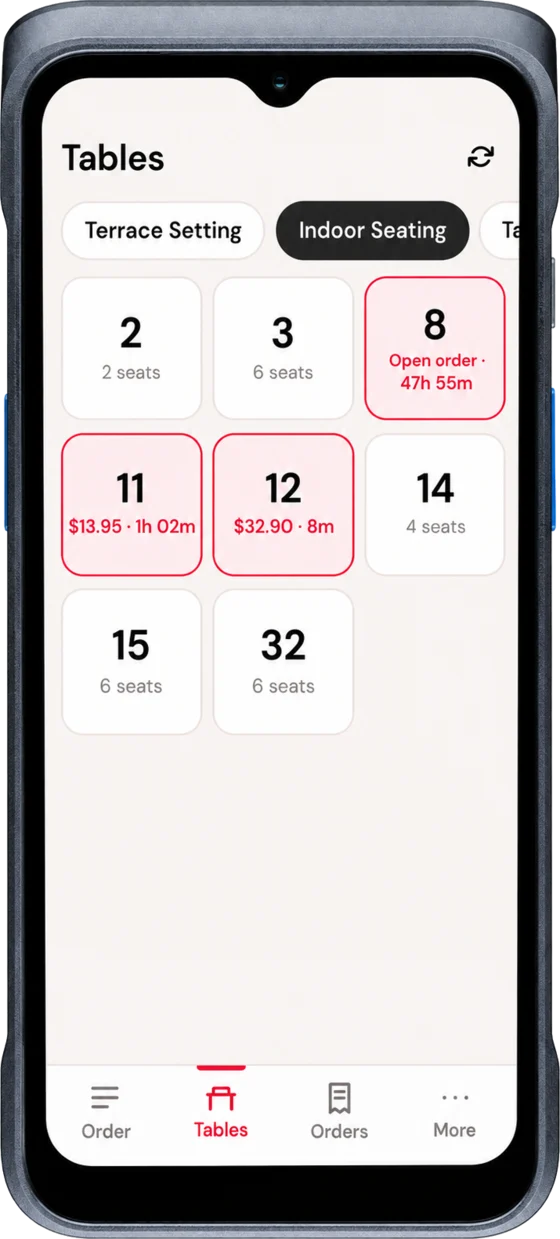
OrderArt Handheld POS showing tables and open orders
Handheld POS
Tap & Pay New

Tap. Pay. Back to great service.

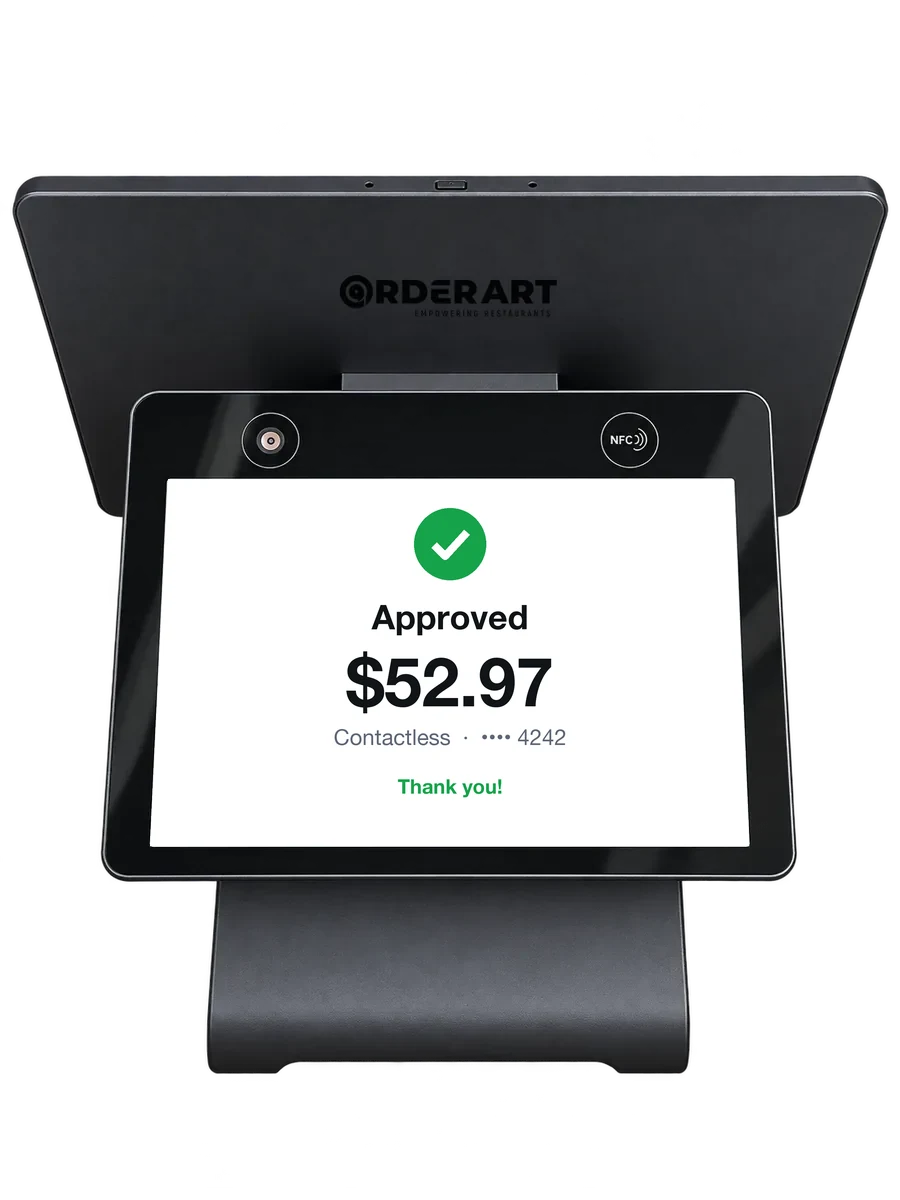
Guests pay with a contactless card or a compatible digital wallet, right on the countertop’s customer screen or on the handheld at the table. No separate terminal to fetch, no amounts to key in.
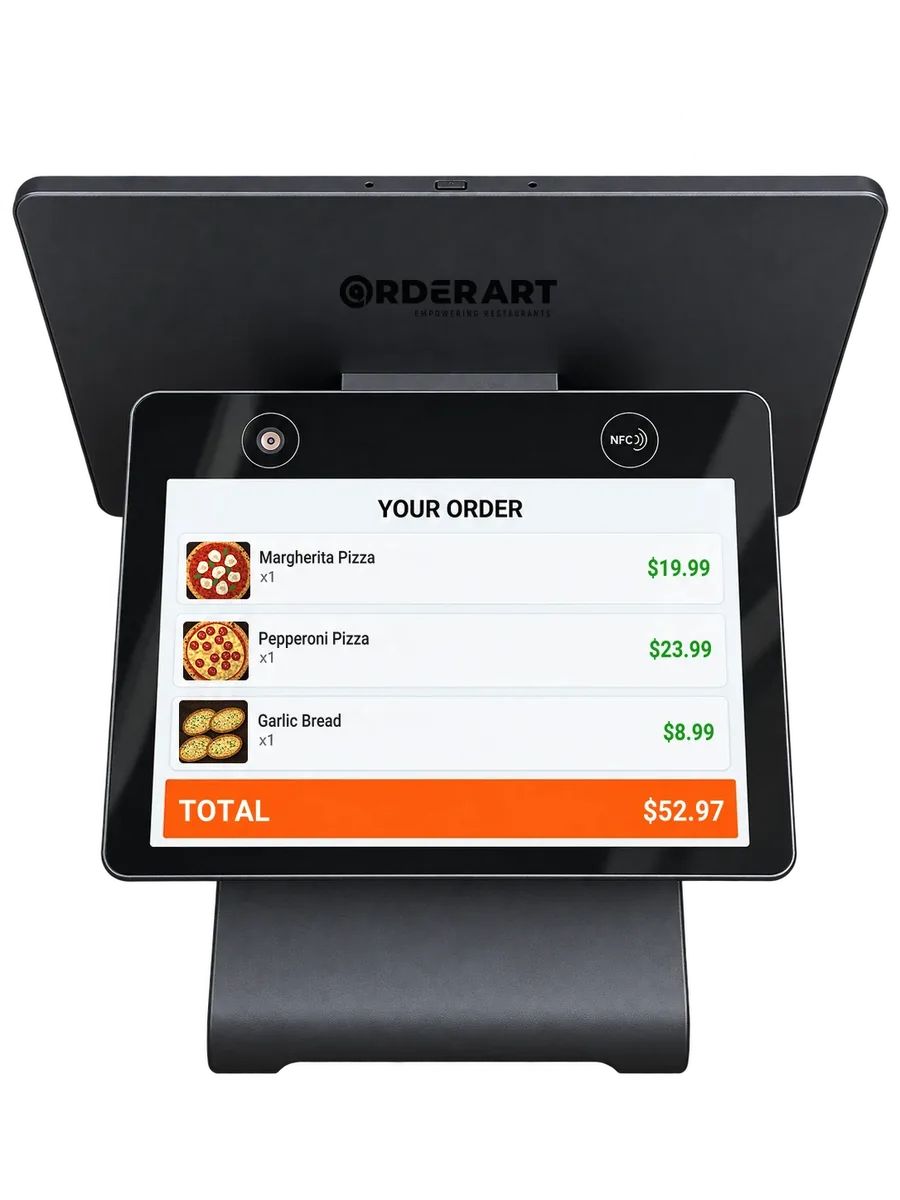
Customer-facing screen of the countertop POS showing the order total of $52.97, with a contactless card tapping the NFC reader
Countertop dual-screenGuests review the order and tap on the customer-facing screen.
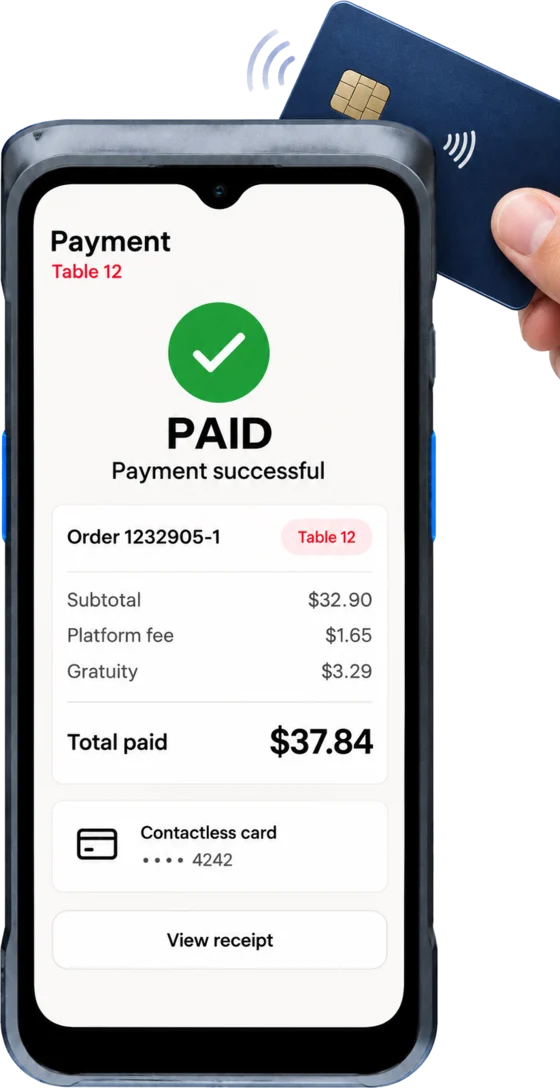
OrderArt Handheld POS showing Payment successful for table 12 as a contactless card is tapped on the back
Handheld POSTake the bill to the table and finish checkout there.
  1. Review the billSubtotal, fees, gratuity, discounts and vouchers on screen.
  2. Tap to payContactless card or compatible digital wallet.
  3. DoneThe order closes and your team is back on the floor.

Payment options depend on your venue configuration and connected payment setup.

Low EFTPOS fees

Keep more of every card payment.

Card fees quietly eat into your margin on every sale. OrderArt payments run at 0.9% per transaction, so see how much you’d keep compared with the rate you pay today.

  • 0.9% per transactionA low, simple rate on the card payments you process.
  • NFC Tap & Pay on every POS deviceTake payments on the countertop and the OrderArt Handheld POS, with Linkly supported too.
  • Payments built into the POSThe amount goes straight to the payment screen, so there’s nothing to re-key.

Savings estimator

Pick a saving and drag the sliders to match your venue.

$80,000
1.60%
Fees you pay today$1,280
With OrderArt at 0.9%$720
Estimated saving / month$560
$6,720
per year

Estimate only, based on the card revenue and rate you enter compared with 0.9% per transaction. It excludes any terminal rental or other fees. Your actual rate and costs will be confirmed by our team.

Handheld POS New

Great service. Right at the table.

Bring table management, ordering and payment to your floor staff on a pocket-sized Android terminal, on the same system as your counter, kitchen and website.

Pocket-sized · Tap & Pay built in
Deals & half-and-half

Complex deals. Made simple.

Set up meal deals with complete customisation of every product in them, and let customers build their own half-and-half pizzas, at the counter and online.

Customise every item

Each product in the deal keeps its full options, so guests choose exactly what they want.

Upsell add-ons

Offer extras inside the deal, priced automatically.

Remove ingredients

Leave off the onion or swap the base without leaving the deal.

Trade up for a little more

Move to a premium category or a bigger size for an extra price.
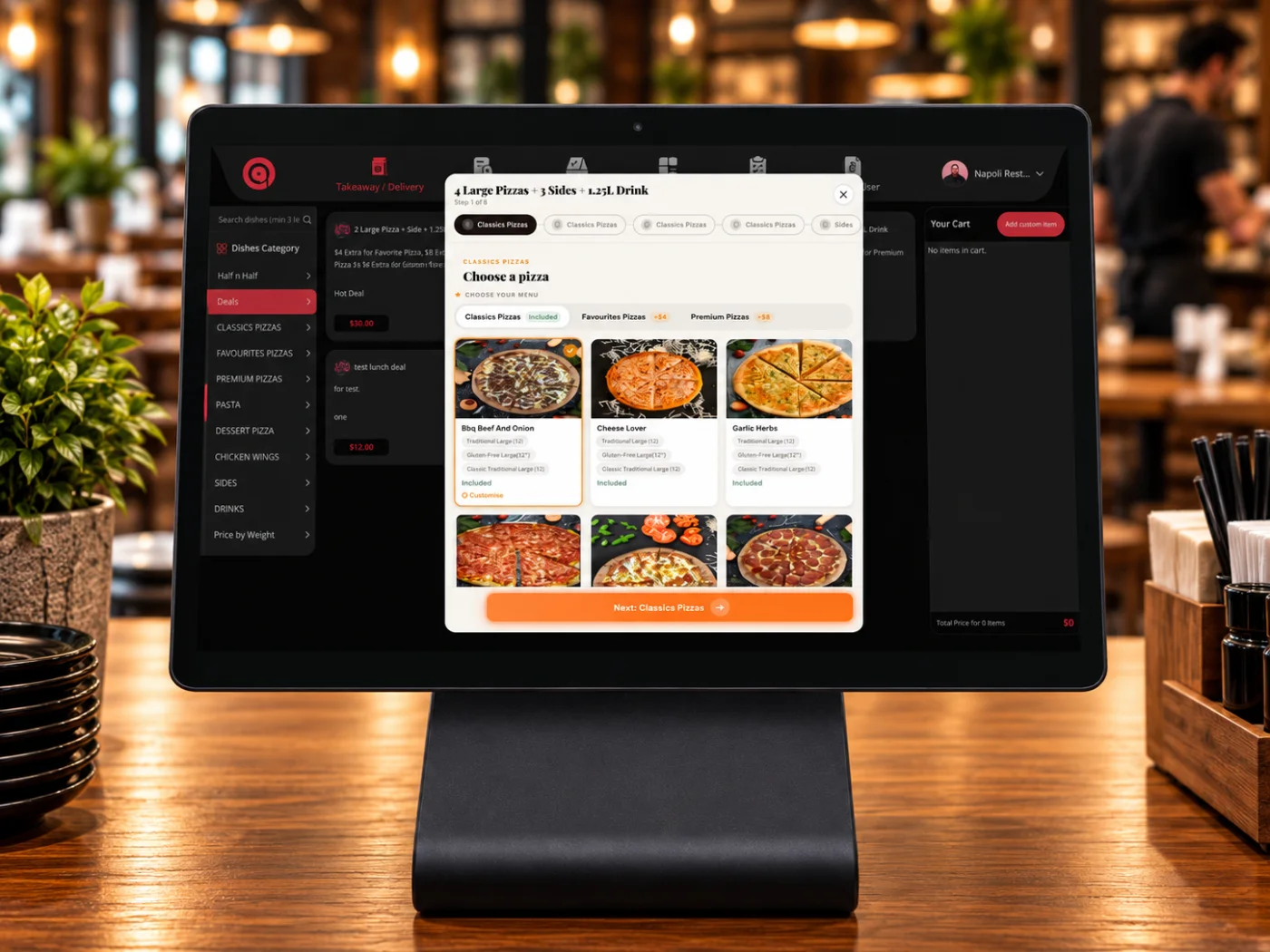
Build-your-own half & halfCustomers pick a different pizza for each half and customise both sides.
Countertop POS in a restaurant showing a 4 large pizzas, 3 sides and drink deal, step 1 of 8, with classic, favourite (+$4) and premium (+$8) pizza choices
Happy Hours & Specials New

Turn quiet hours into busy ones.

Schedule specials once and they run themselves across OrderArt POS, Website Ordering and NFC Table Ordering, with prices switching back to normal the moment the promotion ends.
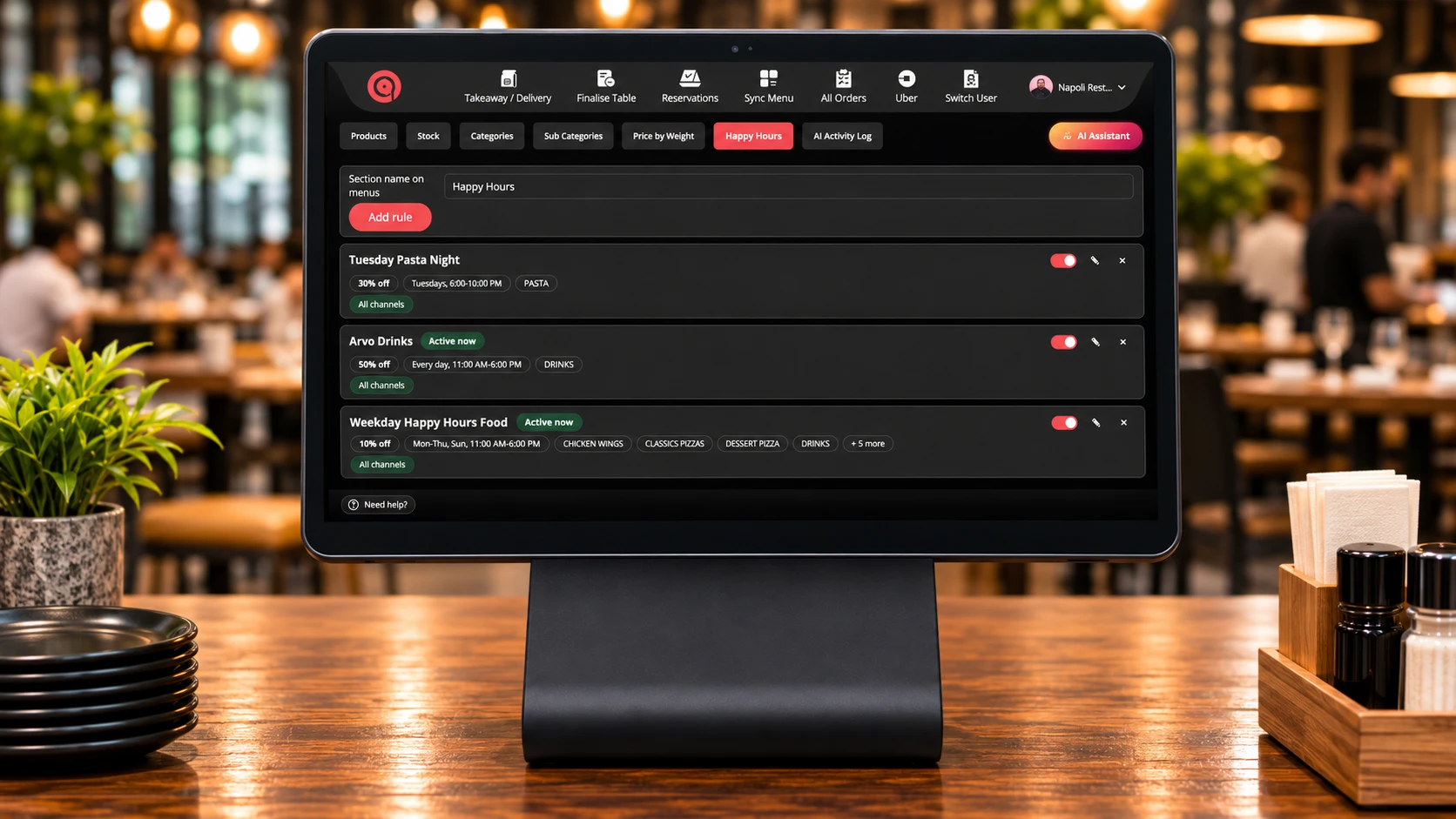
Countertop POS in a restaurant showing the Happy Hours screen with Tuesday Pasta Night 30% off, Arvo Drinks 50% off and Weekday Happy Hours Food 10% off, each with schedules, categories and on/off toggles

Smart scheduling

  • Set specials for specific days, times or dates
  • Apply to products, categories or subcategories
  • Prices revert automatically when it ends

Flexible discounts

  • Percentage (%) or fixed dollar ($) off
  • Different promotions for different products

Choose where specials apply

Switch each promotion on per channel.

POS Dine-InPOS TakeawayPOS DeliveryWebsite Takeaway & DeliveryNFC Table Ordering

Dedicated specials menu

Happy Hours items automatically appear in their own category on the POS and your restaurant website while the offer is running.

Call it Happy HoursLunch SpecialsEarly Bird DealsWeekend Offersor anything you like.
EOB reporting

See exactly what your specials earned.

  • Dedicated Happy Hours sales reporting
  • Revenue insights with percentage-based charts
  • Product and category performance during promotional hours

More control. Smarter promotions. Better sales.

Offline mode New

Internet down. Business on.

When the connection drops, your countertop and handheld POS keep working. Orders are saved safely on the device and upload on their own as soon as you’re back online.
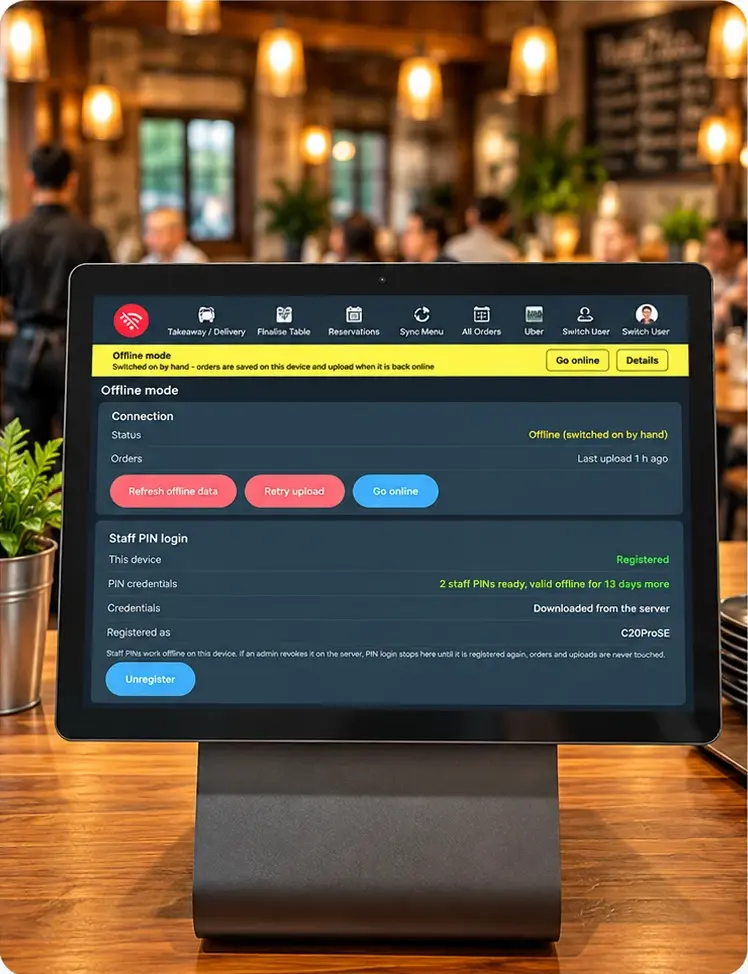
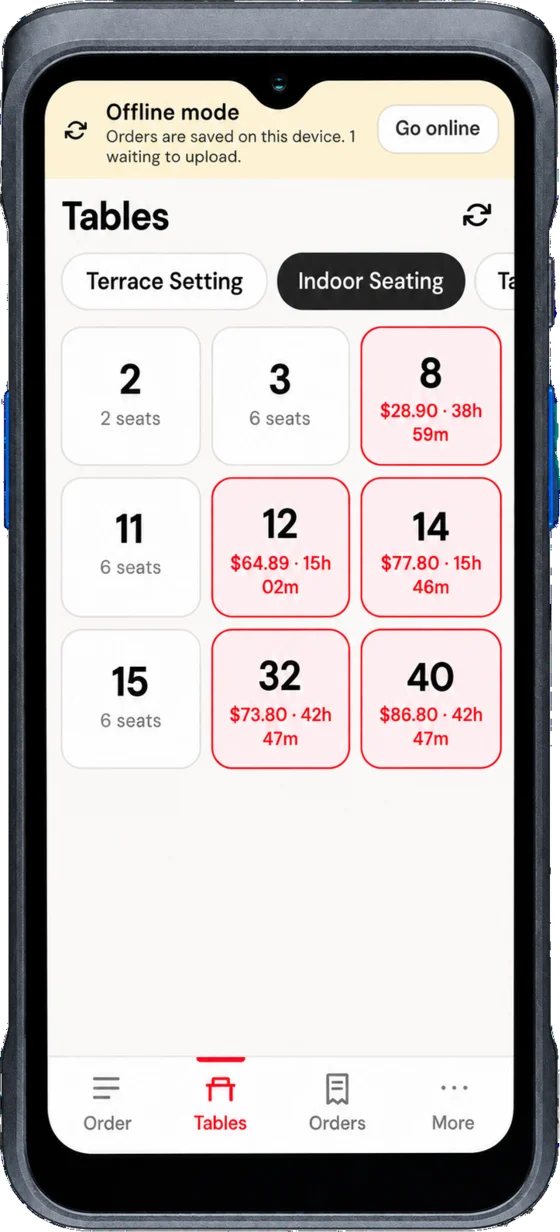
  • Keep taking orders at the counter and at the table
  • Staff still sign in with their PIN on a registered device
  • Finds your kitchen and billing printers so dockets keep printing
  • Tables, completed orders and receipts stay on screen
  • Saved orders sync automatically, with a banner showing what’s waiting
Countertop POS in a restaurant in offline mode, showing connection status and staff PIN login ready offline
Split payments

One table. Three ways to split.

Settle any bill the way your guests want, on the countertop or the handheld, with vouchers and discounts applied first.

Each guest pays for what they had.

AGourmet Vegetariana$24.95
AGarlic Prawn$20.95
BTandoori Chicken$24.95
Guest A pays$45.90
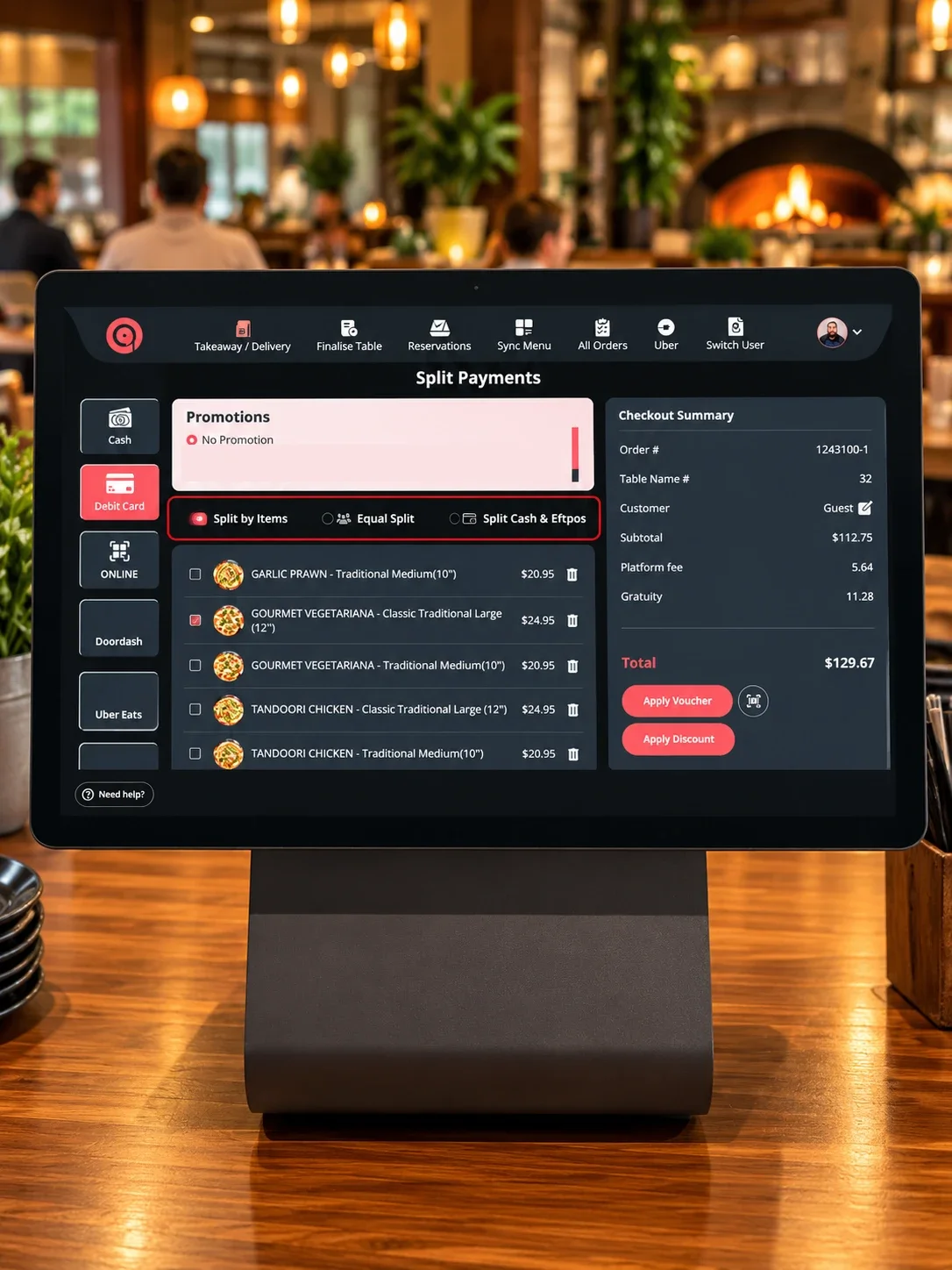
Countertop POS split payments screen with Split by Items selected and the checkout summary
Front of house

Smarter calls. Faster pickups.

Two small things that make a busy counter feel calm, both built into OrderArt POS.

New

Smart caller recognition

When the phone rings, the POS shows who’s calling, so your team can greet regulars by name and turn the call into an order or booking in a tap.
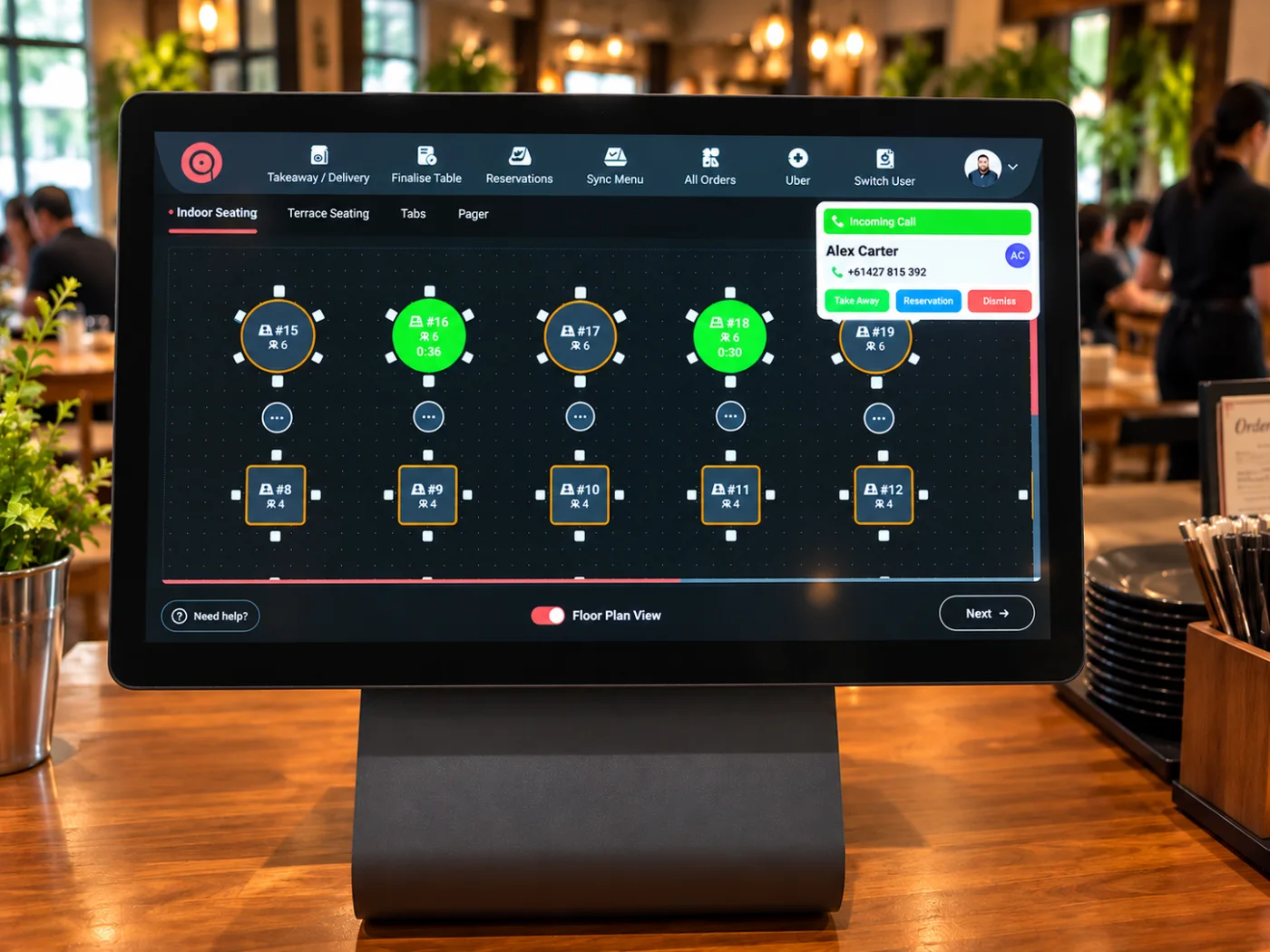
Countertop POS in a bistro showing the floor plan with an incoming call pop-up naming the caller, with Take Away, Reservation and Dismiss
  • Greet customers by name
  • Reorder favourites in a few clicks
  • Book tables straight from the call
  • 100% cloud, no extra phone hardware
New

Pager management

Assign pagers from the POS, with or without physical devices. Use compatible wireless pagers to buzz guests when food is ready, or run it entirely digitally.
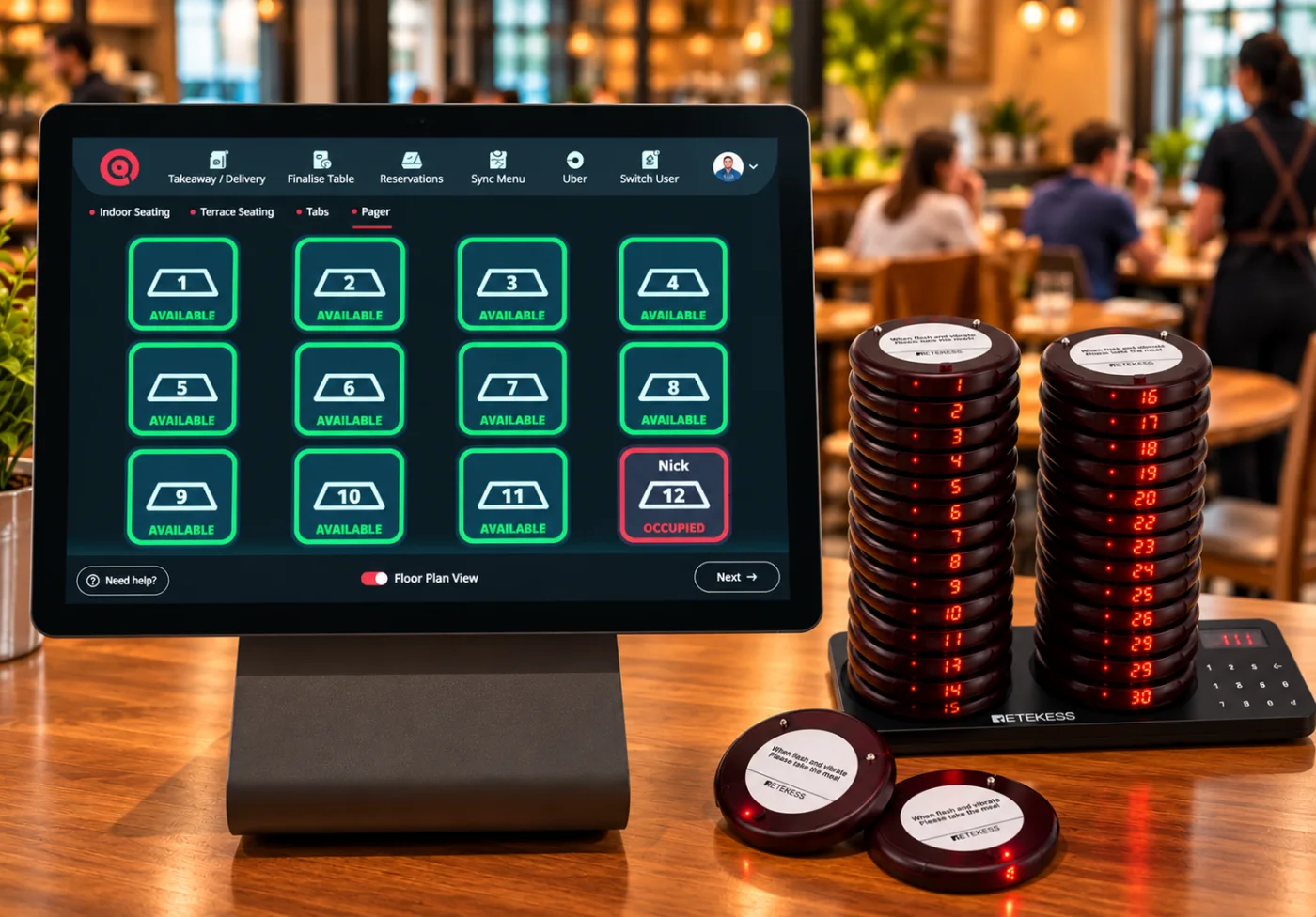
Countertop POS showing the Pager tab with pagers marked available or occupied, beside stacks of wireless guest pagers
  • Live status: available or occupied
  • Customer names on pager numbers
  • Digital pagers, no devices needed
  • No separate pager system to run
Apple Wallet loyalty card New

Scan. Earn. Redeem. Repeat.

A digital loyalty card your guests keep in Apple Wallet or Google Wallet, scanned on the countertop or the handheld. No app to download, no plastic cards and no phone numbers read out at the counter.
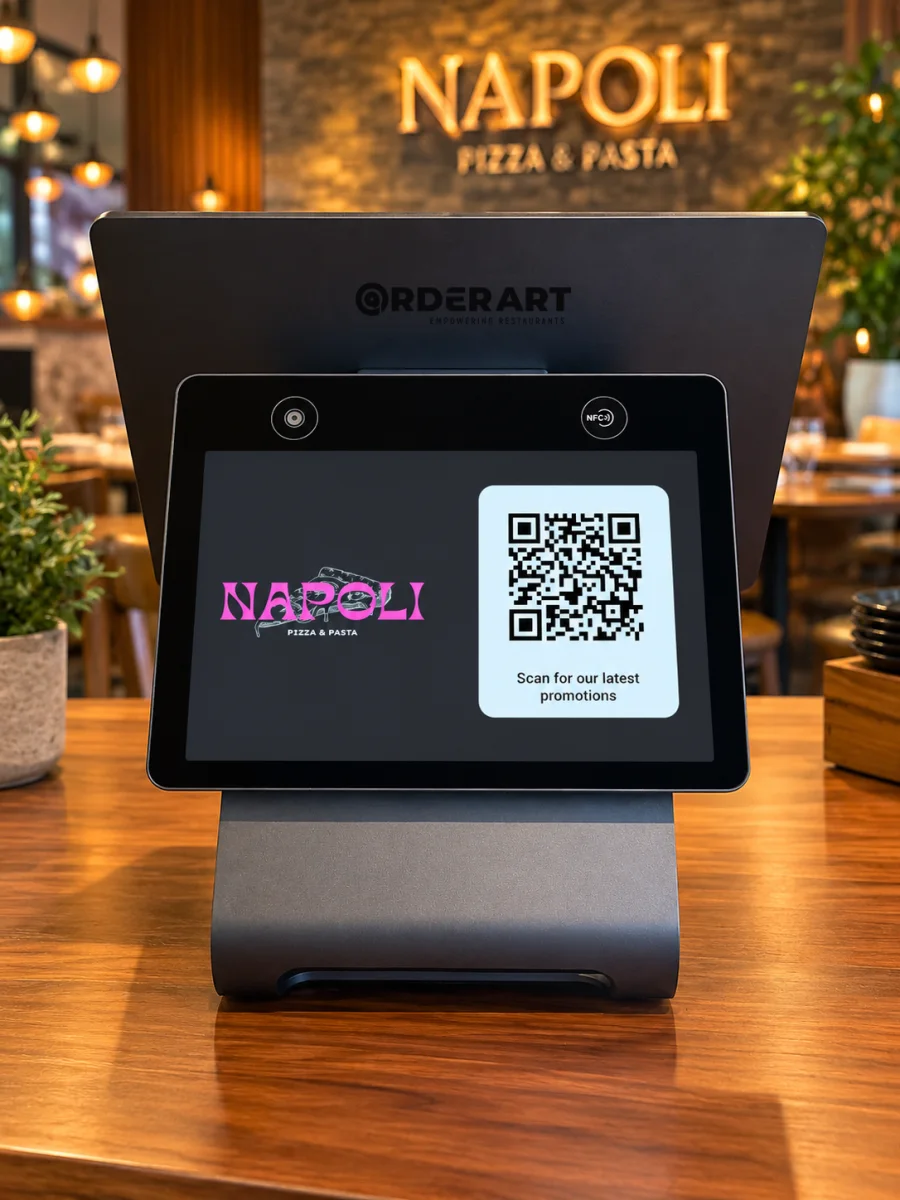
Countertop POS customer screen showing the venue logo and a QR code for guests to scan
01

Scan to register

Guests scan the QR code on the customer screen and sign up in seconds.
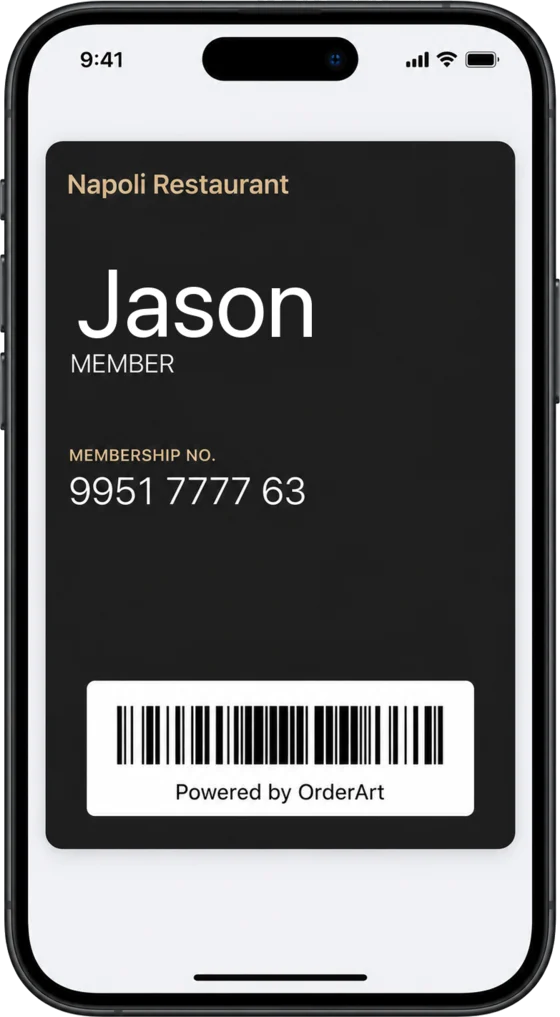
Digital rewards membership card with barcode saved in a phone wallet
02

Save to Wallet

The virtual card is stored in Apple Wallet or Google Wallet, always on hand.
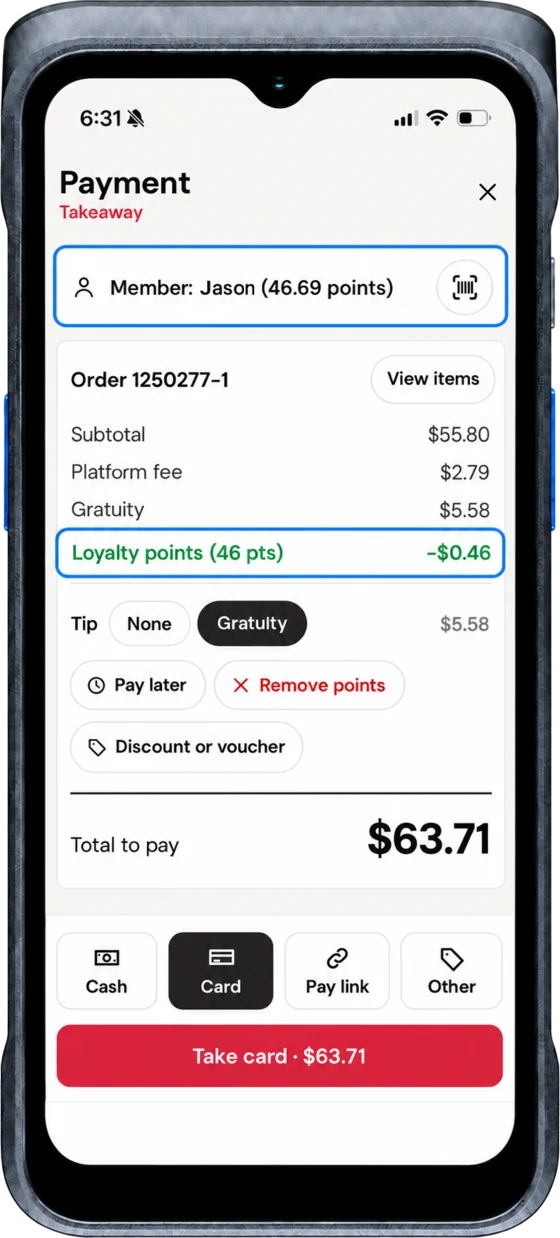
Handheld bill with a rewards member scanned and loyalty points redeemed
03

Scan to earn & redeem

Scan the card at the countertop or handheld to see the membership, then earn or redeem points on the bill.
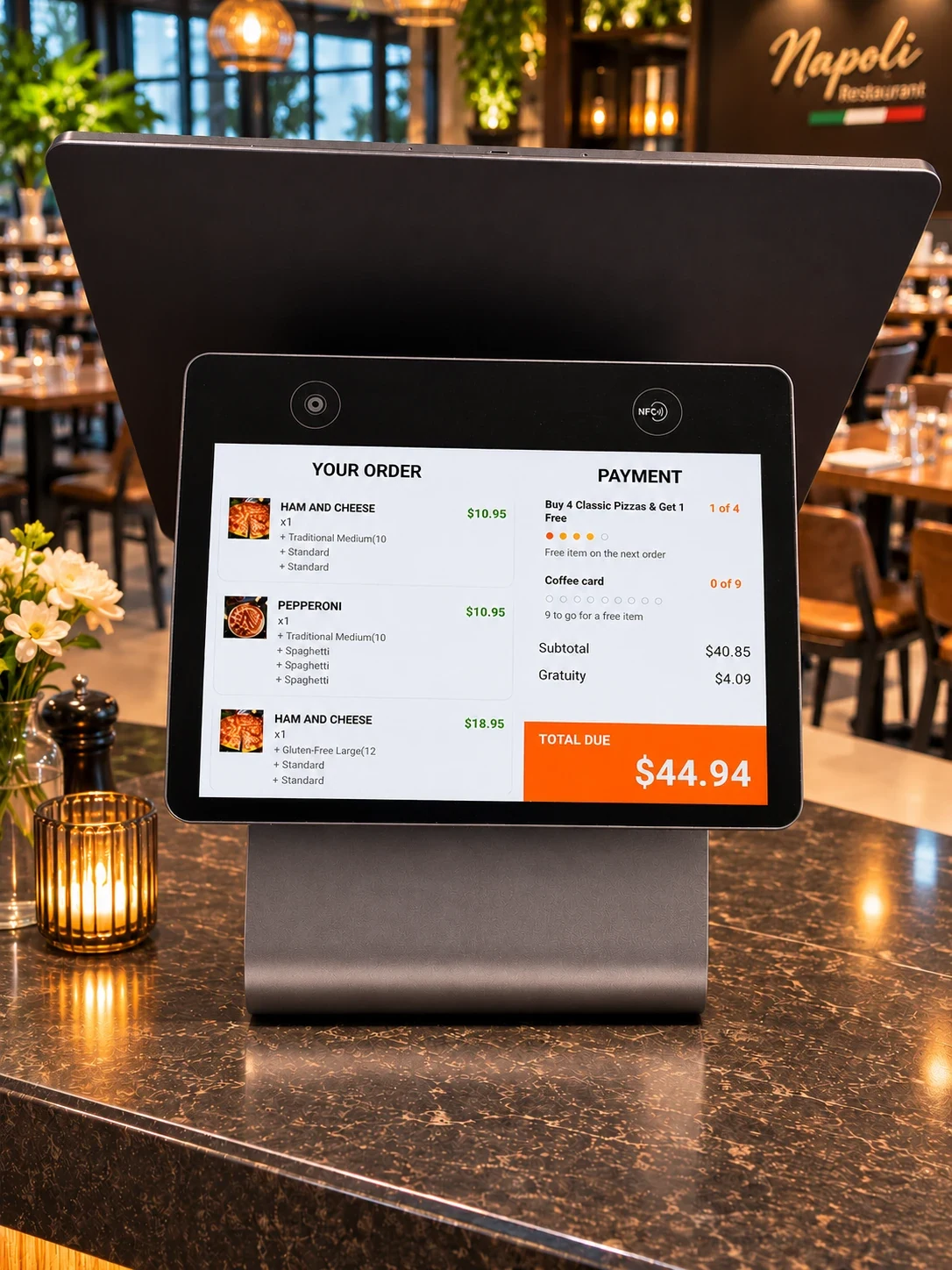
Customer-facing POS screen at Napoli showing the order, a Buy 4 Classic Pizzas and Get 1 Free card at 1 of 4, a coffee card at 0 of 9, and the total due
Product Loyalty New

Buy 9, get the 10th free.

Reward guests for buying their favourites. Create your own Buy X, Get 1 Free cards and OrderArt POS counts every purchase, shows the progress and applies the free item when it’s earned.

Buy 9 coffees, 10th freeBuy 5 pizzas, 6th freeBuy 4 burgers, 5th freeBuy 6 drinks, 7th free
Product, category or subcategory

Reward one menu item, a whole category or a selected menu group.

Progress on the POS

Scan or select the customer and their loyalty progress appears straight away.

On the customer screen

Progress shows on the second screen, so every purchase feels like a step closer.

Automatic redemption

Once a guest qualifies, the free item is applied at checkout and shown on the bill.

New POS · PromotionsPromotionsSpend LoyaltyProduct Loyalty

Create and customise loyalty cards in OrderArt Admin: choose the eligible products or categories and set your own Buy X, Get Y Free rules.

Reservations

Fuller tables. Fewer no-shows.

Reservations are built into your white-labelled website and your AI phone calls, and managed from the POS or the OrderArt phone app. One book, every channel.
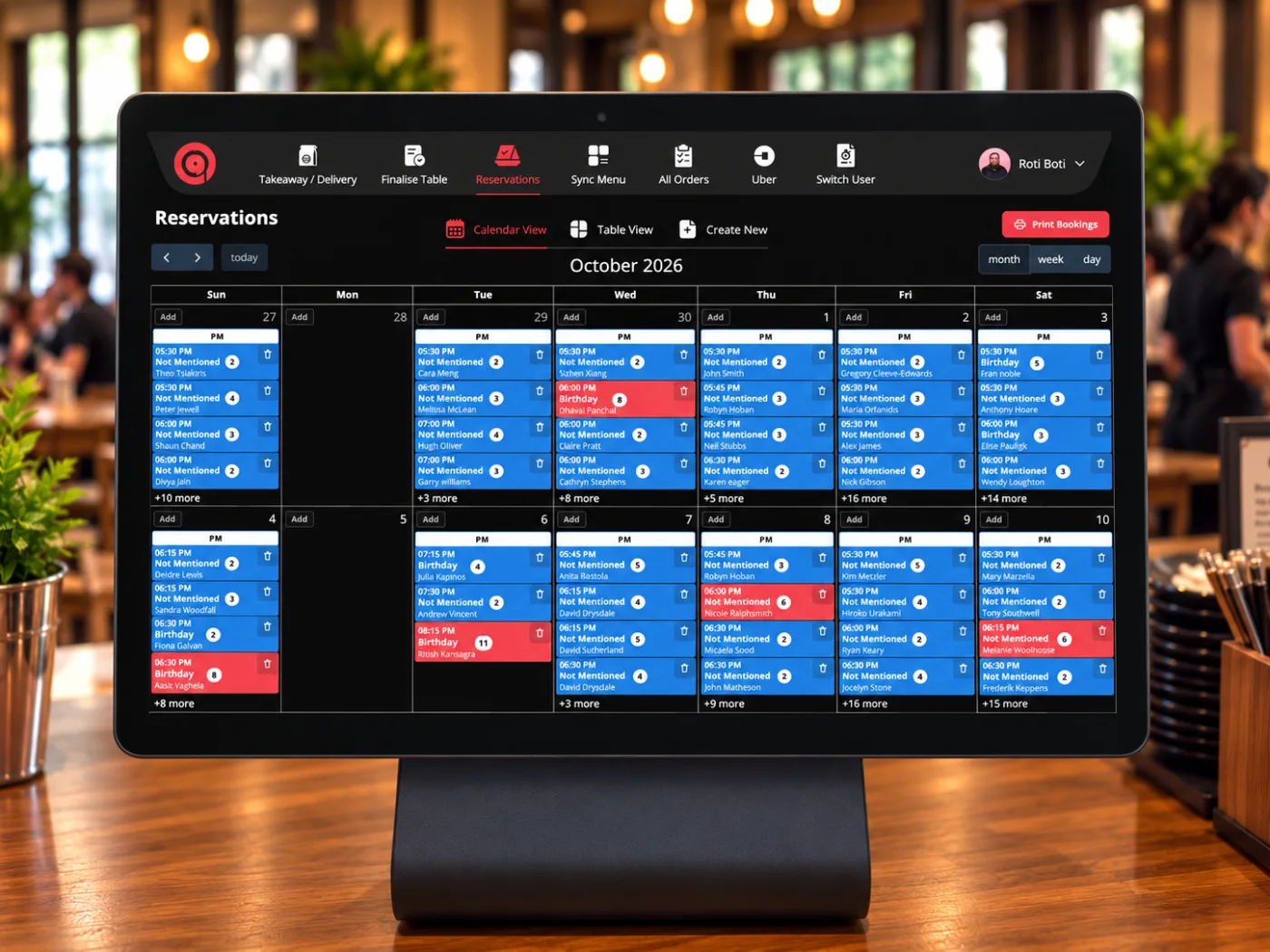
  • Hold a card for a deposit and charge it at your discretion
  • Send booking and tracking links to guests
  • Automatic booking reminders
  • Share the bookings roster with your team
  • Pace service with rules by time slot, bookings or covers
  • Assign tables ahead of arrival, if you like
  • Capture every guest’s spend automatically
  • Re-market your brand to loyal regulars
Countertop POS in a restaurant showing the reservations calendar for October, with bookings by time, party size and occasion
Website AI phone calls POS OrderArt app
Kitchen display

A calmer pass, even when the rail is full.

Orders from the POS, your website, Uber Eats and the AI phone host land on the kitchen screens the moment they’re placed. Every screen stays in sync.

  • Live timers that turn amber, then red, as tickets age
  • Tick off items, bump, bump all, and undo within 8 seconds
  • Each screen shows only its station’s items
  • Dietary notes and modifiers highlighted on every ticket
  • Runs on any Android tablet, with a chime for new orders
Live kitchen display
#UE-9122:48
  • 1SupremeGluten-free base
  • 2Garlic Bread
Uber EatsLate
AI menu assistant New

Change your menu. In plain English.

Pick an action or just type what you want, like “increase all prices in Classic Pizzas by 10%”. The assistant proposes the change, you approve it, and every update is recorded in the AI activity log.
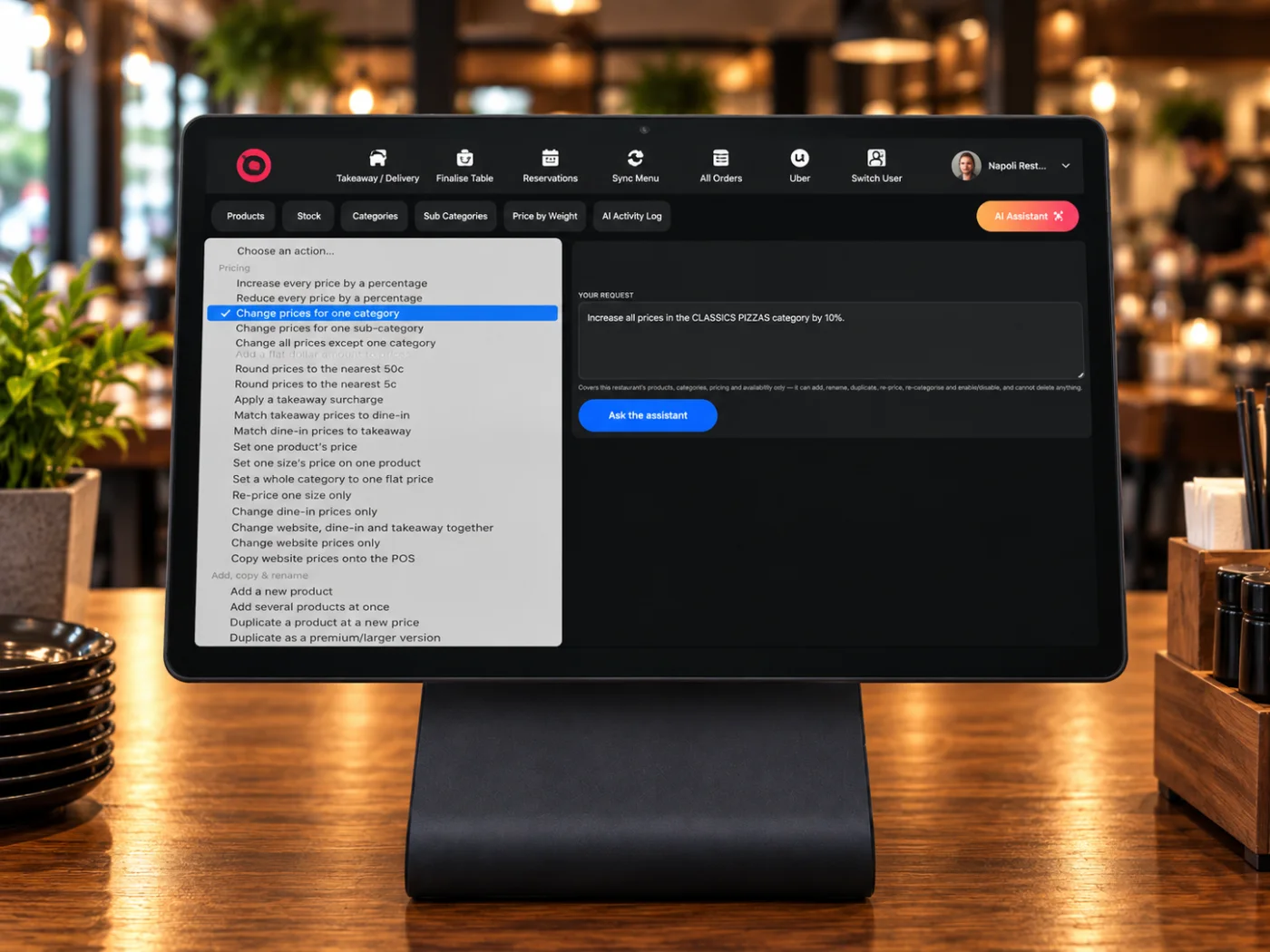
  • Works across products, categories, pricing and availability
  • Can add, rename, duplicate, re-price, re-categorise, enable and disable
  • Never deletes anything, and nothing changes until you approve
  • Update website, dine-in and takeaway prices together or separately
Countertop POS in a café with the AI assistant open: a list of menu actions and a request to increase Classic Pizzas prices by 10%
Pricing
  • Increase every price by a percentage
  • Change prices for one category
  • Round prices to the nearest 50c
  • Apply a takeaway surcharge
  • Change website prices only
Add, copy & rename
  • Add several products at once
  • Duplicate as a premium or larger version
  • Set a short name for receipts
  • Move a product to another category
Availability
  • Mark a product out of stock
  • Put a product back on sale
  • Disable a whole category
  • Take seasonal items off the menu
Product settings
  • Turn on the customisation pop-up for a category
  • Mark products as spicy
  • Remove the spicy marking
Review & audit
  • Which products have no price set?
  • Where do dine-in and takeaway prices differ?
  • Which prices have awkward cents?
  • Summarise the menu by category
BYO EFTPOS

Bring your own EFTPOS terminal.

OrderArt integrates with Linkly, so you’re free to choose from a wide variety of payment terminals, or keep the one you already have. The POS sends the amount straight to the terminal.

  • Wide choice of Linkly-integrated payment terminals
  • Works with 15 Linkly bank partners across Australia and New Zealand
  • Amount sent automatically, no double keying
  • Refunds and resume-payment built in
OrderArt POS Linkly Your terminal

Linkly bank partners · Australia & New Zealand

ANZBank of MelbourneBankSACommonwealth BankFiservLive PaymentsNABNuveiSkyzer (NZ)St.GeorgeSuncorp BankVerifone NZWestpacWpayZeller
Built for service

Everything a busy venue needs. Nothing it doesn’t.

Customer-facing screen

On the countertop dual-screen, guests watch their order build, see the total and tap to pay on their side.

Staff PIN & switch user

Staff switch user with a 4-digit PIN and the screen locks itself when idle. Every order is tagged to the team member who took it.

Pay by link

Text a secure payment link or SMS invoice to phone orders, and watch paid or pending links update by themselves.

New

Stock management

Stock counts go down with every POS order, and items are marked sold out automatically at zero. Manage levels from the Stock tab, or mark an item sold out for today in a tap.

Clock in, clock out

Staff clock in and out with their PIN, and timesheets are ready when you need them.

Cloud printing

Dockets route to the right station printers over the cloud, with automatic retries until each one prints.

Uber Eats in the same queue

Connect your Uber Eats store, then accept, reject and mark orders ready from the POS, alongside dine-in, web and phone orders.

Website#1042 · DeliveryPaid online$64.50
Uber Eats#UE-88 · PickupAccept or reject$38.00
AI phone#1045 · TakeawayPaid via SMS link$27.40
New

Promotions from the POS

Managers create promotions right on the POS for in-store and online orders, with PIN approval before anything goes live.

Deals & vouchers

Meal deals, half-and-half, vouchers and gift-card codes at checkout, with discounts applied before the bill is split.

From the floor

Built for the people who use it every shift

“Orderart’s platform has provided us with world-class support and an intuitive POS system that our staff loves.”
JLJohn LucchinelliDouble Pour Cafe
“The integration of our menus with our website and table ordering system has streamlined our management processes significantly.”
RRickySaint Martin Cafe
Switching is easy

From your old POS to OrderArt, without the headache

Our onboarding team does the heavy lifting, so you can keep trading while you switch.

01We build your menu

Send us your menu and we set up categories, modifiers, deals and recipe-based items, synced to your website.

02We set up your venue

Floor plan, printers and stations, kitchen display and integrated EFTPOS, configured and tested.

03We train your team

Recipe-based menus mean new staff can be trained in under 15 minutes, with support on hand from day one.

Free demo

See the POS run your Friday night

We’ll set up a demo with your own menu and floor plan, then walk your team through a full service: seat, order, fire, pay and close.