Kitchen display system (KDS): what it is and how to choose one
A kitchen display system replaces paper dockets with screens that show every order the moment it’s placed, in the right station, with a timer. Here’s how a KDS works, when it beats printed tickets, and what to look for.
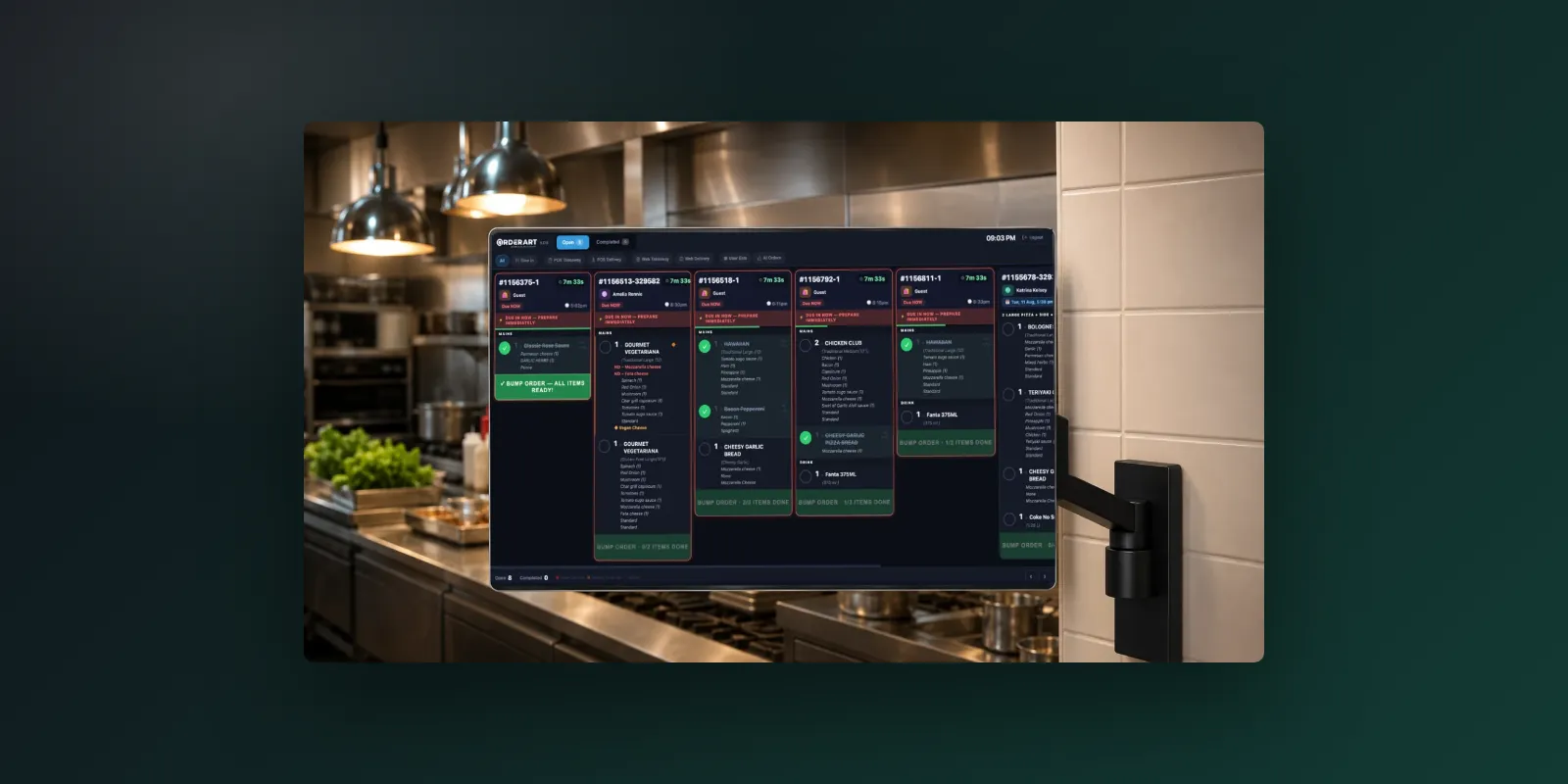
In short: a kitchen display system (KDS) is a screen in the kitchen that shows incoming orders from every channel, routes items to the right station, times each ticket and lets chefs bump orders when they’re done. It cuts lost dockets, makes delays visible and keeps front and back of house in sync.
What is a kitchen display system?
A kitchen display system (KDS), sometimes called a kitchen screen system, is software on a screen or tablet that receives orders from your POS and other channels. Each ticket shows the items, modifiers and notes, how long it has been waiting, and which station it belongs to.
KDS vs printed dockets
| Kitchen display | Printed dockets | |
|---|---|---|
| Order arrives | Instantly, from every channel | When the printer prints it |
| Late orders | Timers change colour as tickets age | Easy to miss on a full rail |
| Stations | Each screen shows only its station’s items | Copies printed or carried by hand |
| Changes and notes | Modifiers and dietary notes highlighted | Handwritten or easy to overlook |
| Mistakes | Undo a bump in seconds | Lost or smudged tickets |
Features a busy kitchen needs
- Orders from dine-in, your website, phone orders and delivery apps on the same screens
- Station routing, so the grill only sees grill items
- Live timers that change colour as tickets age
- Bump, bump all and a quick undo
- Dietary notes and modifiers that stand out
- An audible chime for new orders
- Hardware that suits a hot kitchen, or software that runs on a standard tablet
How the OrderArt kitchen display works
Orders from the OrderArt POS, your website, Uber Eats and the AI receptionist land on the kitchen screens the moment they’re placed, and every screen stays in sync. Tickets show live timers that turn amber, then red, as they age; chefs tick off items, bump or bump all, and can undo within 8 seconds. Each screen shows only its station’s items, dietary notes and modifiers are highlighted, and it runs on any Android tablet with a chime for new orders.
Frequently asked questions
Do I still need a kitchen printer with a KDS?
Not always. Many kitchens go fully screen-based; others keep a printer for packing slips or as a backup. Choose a system that supports both.
Can a KDS show online and delivery orders?
It should. A KDS is most useful when every channel lands in one queue, so the kitchen sees one list in the order it needs to cook.
What hardware do I need?
A screen or tablet per station, mounted away from heat and splashes. OrderArt’s kitchen display runs on any Android tablet, or on OrderArt’s kitchen display hardware.